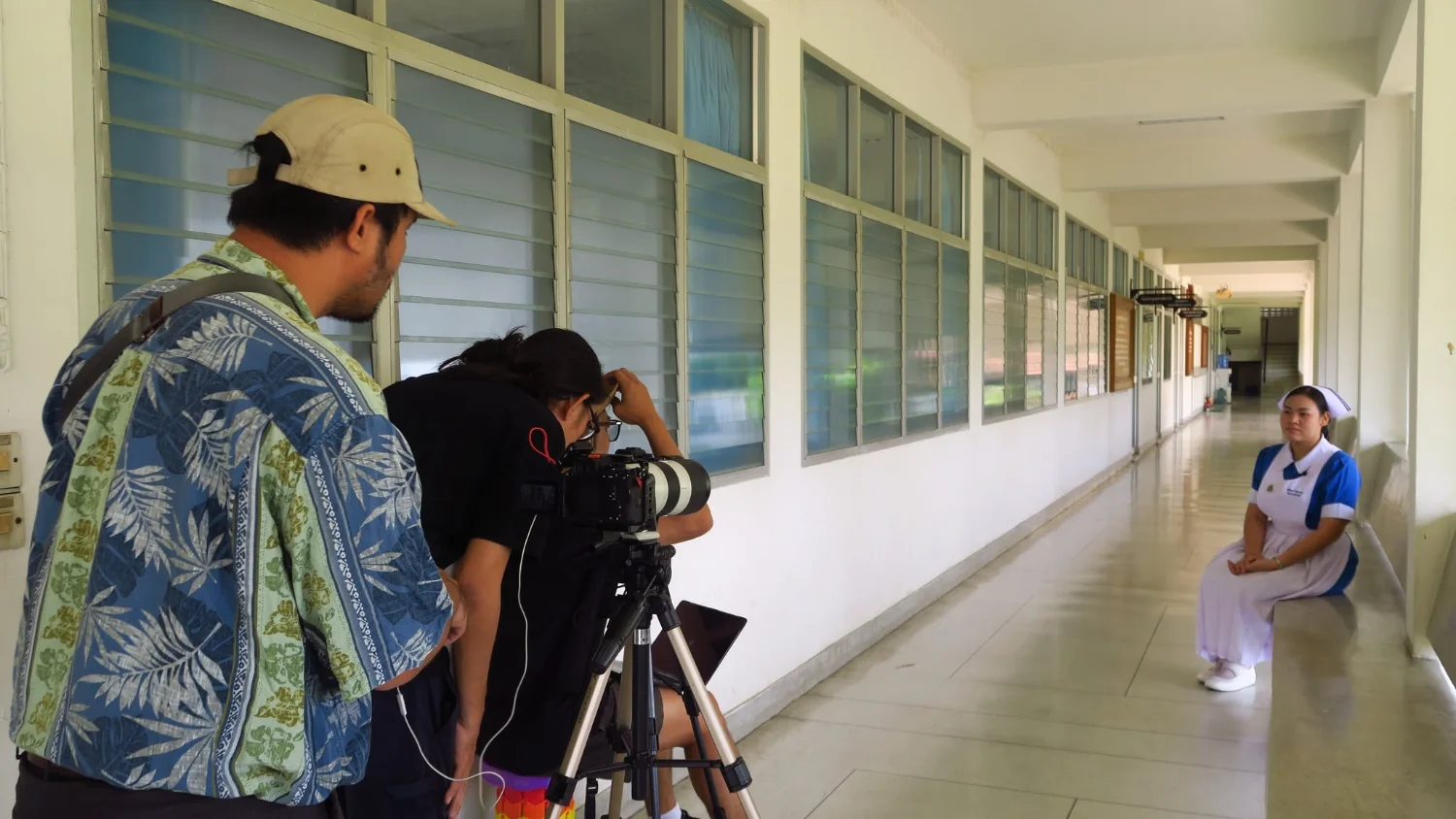
Boromarajonani College of Nursing, Suphanburi Student Selected for the Keng Lae Dee TO BE NUMBER ONE Short Documentary Series
20 March 20250 views
The TO BE NUMBER ONE program under Princess Ubolratana Rajakanya Sirivadhana Barnavadi produced the Keng Lae Dee TO BE NUMBER ONE short documentary series to collect and share the experiences, ideas and approaches to life of successful youth leaders and members. These stories aim to offer role models and inspiration to members and young people throughout Thailand. The series is broadcast on MCOT HD and the TO BE NUMBER ONE CHANNEL Facebook page.
Representing Suphanburi, Rosarin Onla-or, a third-year nursing student at Boromarajonani College of Nursing, Suphanburi, was selected to appear in the series. Filming took place at the college on 20 March 2025.
Cookies help us provide a better and more convenient browsing experience. By selecting “Accept”, you agree to our use of cookies as described in our Website Policy
and Cookies Policy.
Browser preferences
Cookie Settings
What are cookies?
Small files that help websites remember your preferences. You can review or change how your browser handles them at any time.
Choose your browser to view the instructions
Google Chrome
Manage your cookie preferences
5 steps
Step 1
Open Chrome on your computer.
Step 2
Select the three-dot menu, then choose Settings.
Step 3
Open Privacy and security.
Step 4
Select Third-party cookies.
Step 5
Choose the option that matches your preference.
Microsoft Edge
Manage your cookie preferences
5 steps
Step 1
Open Microsoft Edge on your computer.
Step 2
Select the three-dot menu, then choose Settings.
Step 3
Open Cookies and site permissions.
Step 4
Select Manage and delete cookies and site data.
Step 5
Turn your preferred cookie options on or off.
Mozilla Firefox
Manage your cookie preferences
5 steps
Step 1
Open Firefox on your computer.
Step 2
Select the menu button, then choose Settings.
Step 3
Open Privacy & Security.
Step 4
Go to Cookies and Site Data.
Step 5
Clear data, manage data, or change permissions as needed.
Apple Safari
Manage your cookie preferences
3 steps
Step 1
Open Safari and select Settings.
Step 2
Select the Privacy tab.
Step 3
Choose your website tracking and cookie preferences.
i Browser menus may vary slightly depending on your browser version and device.


 The Nine Doctors pathway from medical training to community care317