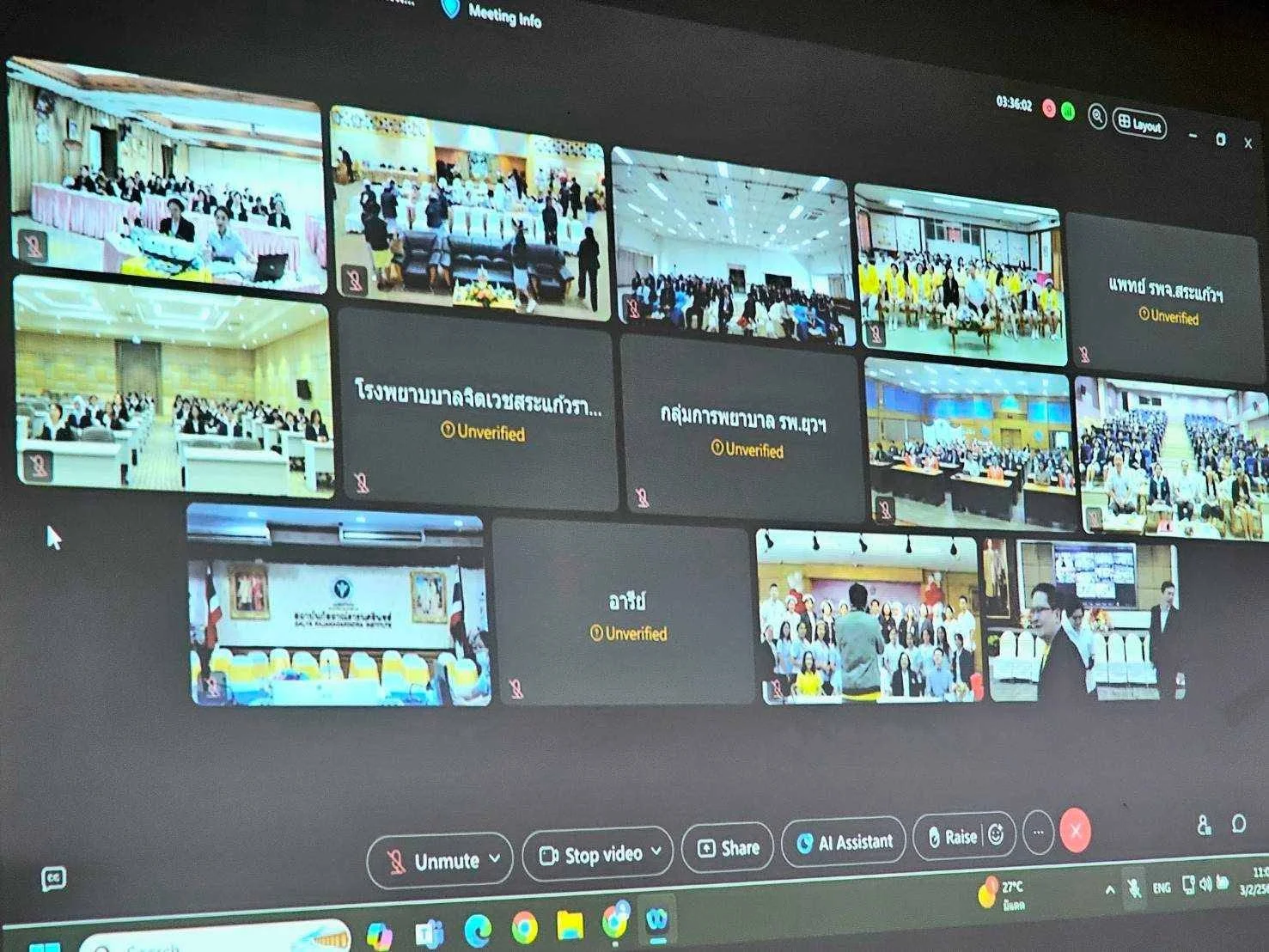
BCNC Joins Opening of Sixth Child and Adolescent Mental Health and Psychiatric Nursing Program
26 October 20260 views
On 3 February 2025, the Academic Services and Learning Center of Boromarajonani College of Nursing, Chiang Mai, Faculty of Nursing, Praboromarajchanok Institute, reported that Director Asst. Prof. Dr. Amavasee Ampansirirat had assigned pediatric nursing lecturer Kanrawee Panyawong to attend the opening of the sixth specialized nursing training program in child and adolescent mental health and psychiatric nursing. Dr. Kittisak Aksornwong, Director-General of the Department of Mental Health, presided over the online opening and delivered a special lecture on mental health and substance abuse development policy. Dr. Hathaichanee Booncharoen, Director of the Rajanagarindra Institute of Child Development, joined executives, curriculum committee members, and trainees online. The program was jointly organized by the Rajanagarindra Institute of Child Development, the School of Nursing at Mae Fah Luang University, and the college. It aims to equip registered nurses with the knowledge and understanding to provide child and adolescent mental health and psychiatric nursing care, promote mental wellbeing, and prevent problems at primary, secondary, and tertiary levels. Trainees also learn treatment and rehabilitation for children and adolescents with psychiatric conditions and support for their families, working with multidisciplinary teams and relevant networks. Thirteen registered nurses enrolled in the four-month program running from 1 February–31 May 2025.
Cookies help us provide a better and more convenient browsing experience. By selecting “Accept”, you agree to our use of cookies as described in our Website Policy
and Cookies Policy.
Browser preferences
Cookie Settings
What are cookies?
Small files that help websites remember your preferences. You can review or change how your browser handles them at any time.
Choose your browser to view the instructions
Google Chrome
Manage your cookie preferences
5 steps
Step 1
Open Chrome on your computer.
Step 2
Select the three-dot menu, then choose Settings.
Step 3
Open Privacy and security.
Step 4
Select Third-party cookies.
Step 5
Choose the option that matches your preference.
Microsoft Edge
Manage your cookie preferences
5 steps
Step 1
Open Microsoft Edge on your computer.
Step 2
Select the three-dot menu, then choose Settings.
Step 3
Open Cookies and site permissions.
Step 4
Select Manage and delete cookies and site data.
Step 5
Turn your preferred cookie options on or off.
Mozilla Firefox
Manage your cookie preferences
5 steps
Step 1
Open Firefox on your computer.
Step 2
Select the menu button, then choose Settings.
Step 3
Open Privacy & Security.
Step 4
Go to Cookies and Site Data.
Step 5
Clear data, manage data, or change permissions as needed.
Apple Safari
Manage your cookie preferences
3 steps
Step 1
Open Safari and select Settings.
Step 2
Select the Privacy tab.
Step 3
Choose your website tracking and cookie preferences.
i Browser menus may vary slightly depending on your browser version and device.


 The Nine Doctors pathway from medical training to community care317