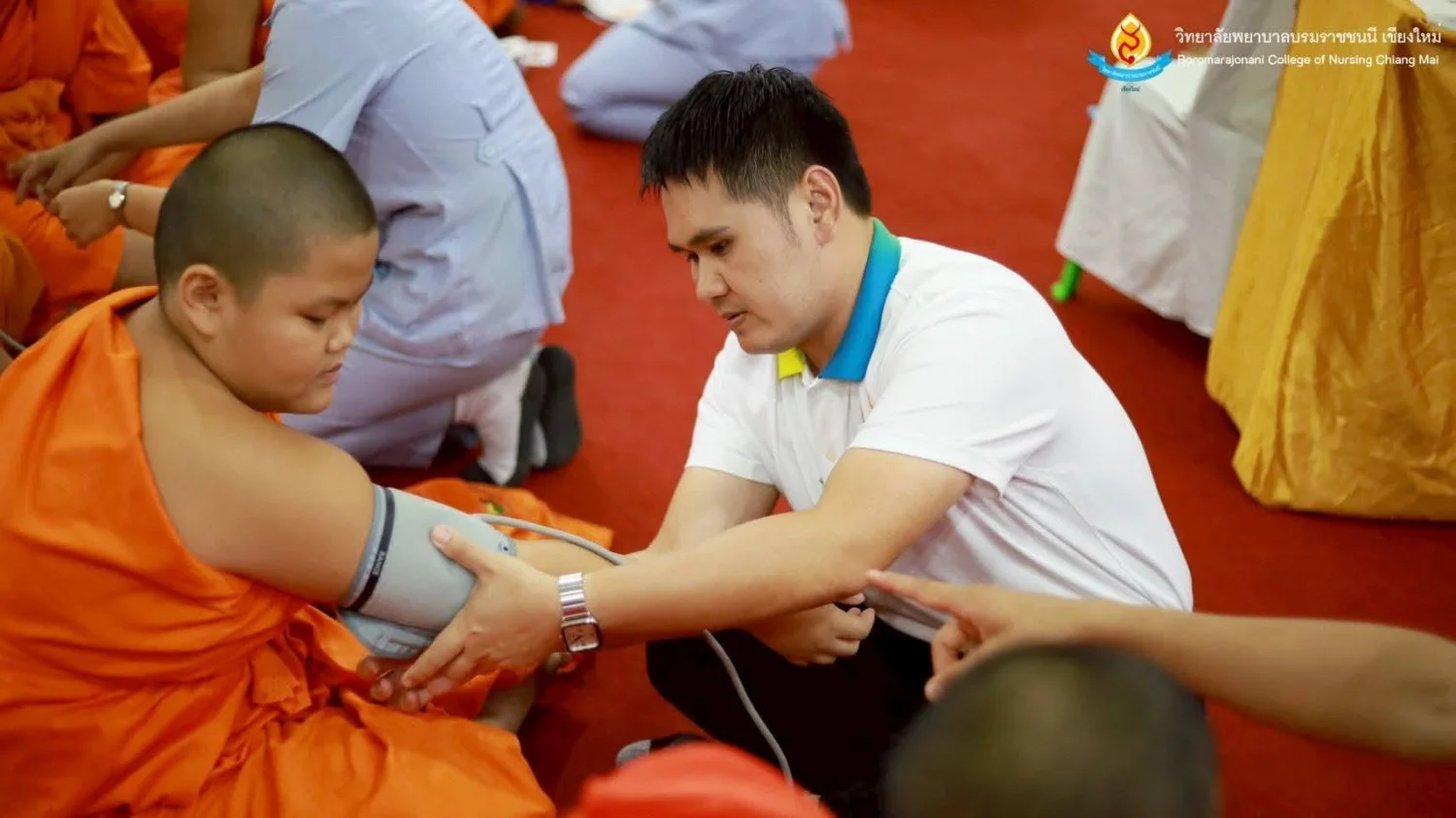
BCNC Promotes Monks’ and Novices’ Health through the PBRI Model
18 August 20250 views
On 16–17 August 2025, the Academic Services and Learning Center of Boromarajonani College of Nursing, Chiang Mai held a PBRI Model-based project to protect monks and novices from noncommunicable diseases at Doi Saket Phadung Sat School, Choeng Doi Subdistrict, Doi Saket District, Chiang Mai. One hundred monks and novices participated. The project developed health knowledge, understanding, and self-care skills, particularly for preventing diabetes, hypertension, and depression. Academic lectures and hands-on training covered PBRI Model health assessment, vital signs measurement, basic emergency care, medication and tube feeding, wound care, first aid, and Basic Life Support (BLS). Qualified nursing lecturers from the college provided training throughout the program, enabling participants to apply the knowledge to their own health and share it with their communities. All participants were to receive completion certificates. The initiative supported sustainable wellbeing among monks and novices and strengthened community public health systems. The college reported the project on 17 August 2025.
Cookies help us provide a better and more convenient browsing experience. By selecting “Accept”, you agree to our use of cookies as described in our Website Policy
and Cookies Policy.
Browser preferences
Cookie Settings
What are cookies?
Small files that help websites remember your preferences. You can review or change how your browser handles them at any time.
Choose your browser to view the instructions
Google Chrome
Manage your cookie preferences
5 steps
Step 1
Open Chrome on your computer.
Step 2
Select the three-dot menu, then choose Settings.
Step 3
Open Privacy and security.
Step 4
Select Third-party cookies.
Step 5
Choose the option that matches your preference.
Microsoft Edge
Manage your cookie preferences
5 steps
Step 1
Open Microsoft Edge on your computer.
Step 2
Select the three-dot menu, then choose Settings.
Step 3
Open Cookies and site permissions.
Step 4
Select Manage and delete cookies and site data.
Step 5
Turn your preferred cookie options on or off.
Mozilla Firefox
Manage your cookie preferences
5 steps
Step 1
Open Firefox on your computer.
Step 2
Select the menu button, then choose Settings.
Step 3
Open Privacy & Security.
Step 4
Go to Cookies and Site Data.
Step 5
Clear data, manage data, or change permissions as needed.
Apple Safari
Manage your cookie preferences
3 steps
Step 1
Open Safari and select Settings.
Step 2
Select the Privacy tab.
Step 3
Choose your website tracking and cookie preferences.
i Browser menus may vary slightly depending on your browser version and device.


 The Nine Doctors pathway from medical training to community care317