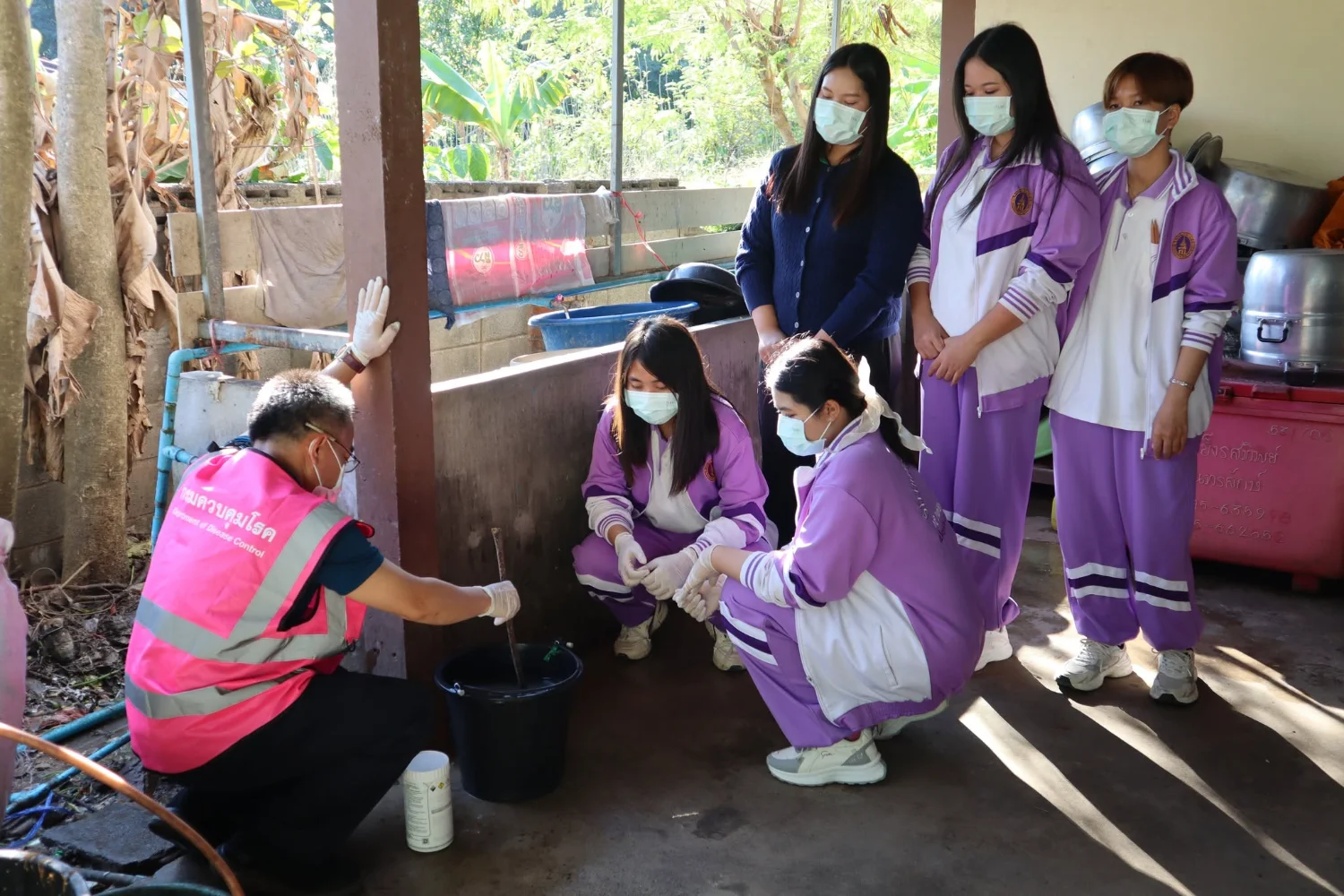
College Provides Relief and Psychological Support at Temporary Shelter in Si Sa Ket
19 December 20250 views
On Thursday, 18 December 2025, Dr. Rabkwan Chuealee, pharmacist and Deputy Director for Research and Academic Services, and pharmacist Anon Thumrin, Deputy Director for Student Affairs, led lecturers, personnel, and third-year Bachelor of Public Health students majoring in Community Public Health to a temporary shelter in Kantharalak District, Si Sa Ket. They offered encouragement and psychological support for children and residents from at-risk areas affected by Thai–Cambodian border unrest. Essential goods, food, and medical supplies were distributed, and recreational activities were organized for children. In collaboration with the Office of Disease Prevention and Control 10, the college educated residents and village health volunteers on improving their surroundings, eliminating insect vectors and sources of infection, and improving water for consumption and household use to prevent gastrointestinal infectious diseases. Additional photographs: https://drive.google.com/…/1miv5LsfeGcE8c4FbfgiJ32qxDR… . Photographs and news: Public Relations Unit.
“Discipline, Duty, Unity, Sacrifice, Truthfulness, and Gratitude.”
Wisdom for Community.
Follow our news: https://linktr.ee/scphub.ac.th
#PraboromarajchanokInstitute #JoinOurFamily #SCPHUB #PHAS
Cookies help us provide a better and more convenient browsing experience. By selecting “Accept”, you agree to our use of cookies as described in our Website Policy
and Cookies Policy.
Browser preferences
Cookie Settings
What are cookies?
Small files that help websites remember your preferences. You can review or change how your browser handles them at any time.
Choose your browser to view the instructions
Google Chrome
Manage your cookie preferences
5 steps
Step 1
Open Chrome on your computer.
Step 2
Select the three-dot menu, then choose Settings.
Step 3
Open Privacy and security.
Step 4
Select Third-party cookies.
Step 5
Choose the option that matches your preference.
Microsoft Edge
Manage your cookie preferences
5 steps
Step 1
Open Microsoft Edge on your computer.
Step 2
Select the three-dot menu, then choose Settings.
Step 3
Open Cookies and site permissions.
Step 4
Select Manage and delete cookies and site data.
Step 5
Turn your preferred cookie options on or off.
Mozilla Firefox
Manage your cookie preferences
5 steps
Step 1
Open Firefox on your computer.
Step 2
Select the menu button, then choose Settings.
Step 3
Open Privacy & Security.
Step 4
Go to Cookies and Site Data.
Step 5
Clear data, manage data, or change permissions as needed.
Apple Safari
Manage your cookie preferences
3 steps
Step 1
Open Safari and select Settings.
Step 2
Select the Privacy tab.
Step 3
Choose your website tracking and cookie preferences.
i Browser menus may vary slightly depending on your browser version and device.


 The Nine Doctors pathway from medical training to community care317