SCPH Ubon Ratchathani Provides Free Animal Sterilization and Vaccination to Prevent Rabies
21 March 20250 views
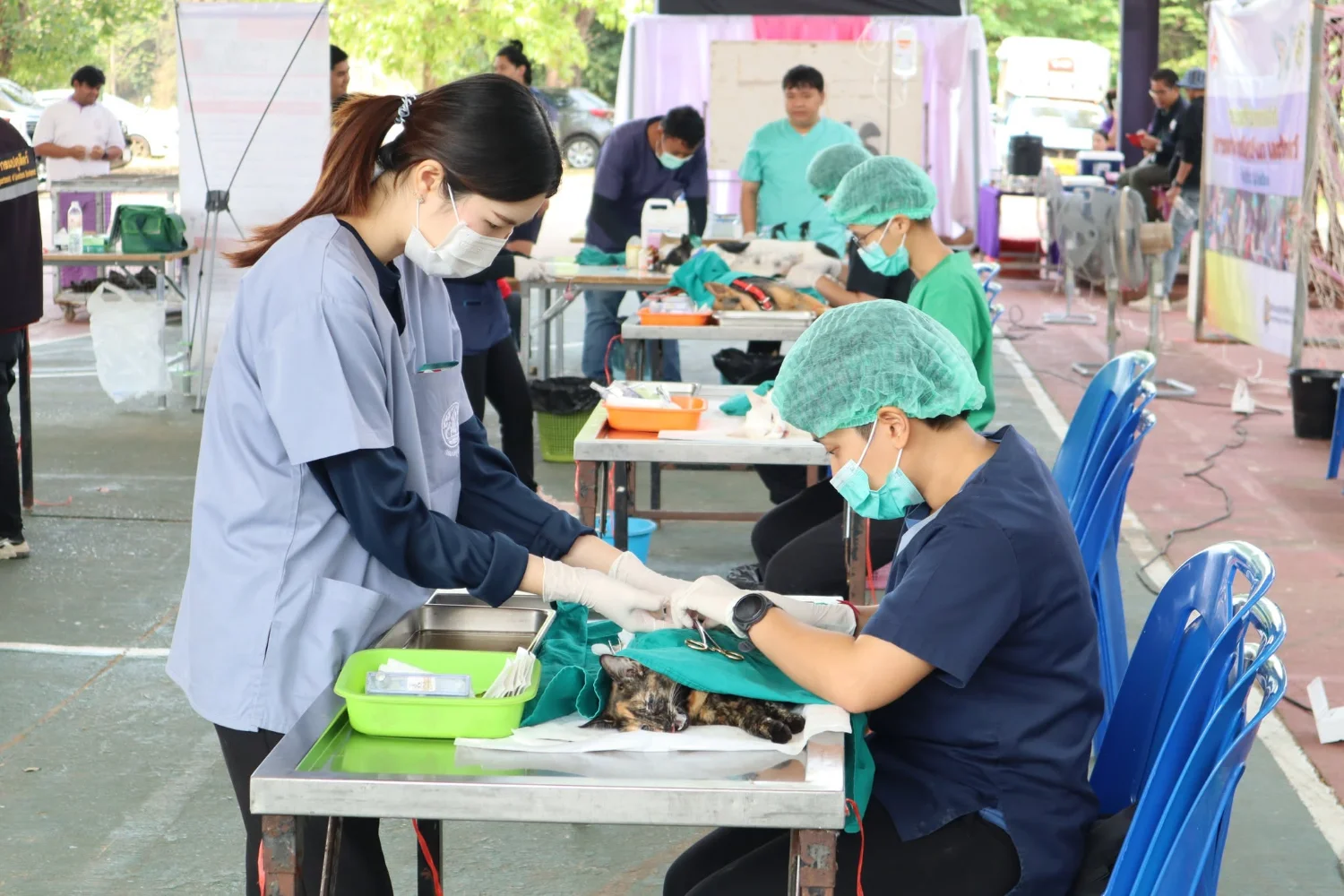
On Friday, 21 March 2025, Dr. Kingkaew Mapong, pharmacist, Deputy Director for Administration and Strategy, and Acting Director of Sirindhorn College of Public Health, Ubon Ratchathani, opened the fiscal year 2025 ‘Disease-Free Animals, People Safe from Rabies’ project at the college multipurpose auditorium. The project followed the aspirations of Her Royal Highness Princess Chulabhorn Krom Phra Srisavangavadhana. Activities included sterilization and vaccination for dogs and cats, information and advice on rabies prevention and laws on appropriate animal care, and haircuts for women and men provided by a team from Nakhon Ubon Ratchathani Technical College. All services were free. Forty-seven pets underwent sterilization, and many received rabies vaccination, meeting the project’s objectives of reducing the population of animals at risk, interrupting transmission to humans, and limiting the growth of stray dog populations in public spaces. The Ubon Ratchathani Provincial Livestock Office and related organizations provided staff to deliver the services.
Discipline, Duty, Unity, Sacrifice, Integrity, Gratitude.
Wisdom for Community.
Follow our news: https://linktr.ee/scphub.ac.th
#PraboromarajchanokInstitute #JoinOurFamily #SCPHUB #PHAS #WorkWithUs
To be one of the top 10 universities of Thailand in developing public health workforce for primary care by 2027.
Links supplied with the original news:
https://drive.google.com/…/1qCqadDNAukpi32uFjb8UbZ1OaVW…
Cookies help us provide a better and more convenient browsing experience. By selecting “Accept”, you agree to our use of cookies as described in our Website Policy
and Cookies Policy.
Browser preferences
Cookie Settings
What are cookies?
Small files that help websites remember your preferences. You can review or change how your browser handles them at any time.
Choose your browser to view the instructions
Google Chrome
Manage your cookie preferences
5 steps
Step 1
Open Chrome on your computer.
Step 2
Select the three-dot menu, then choose Settings.
Step 3
Open Privacy and security.
Step 4
Select Third-party cookies.
Step 5
Choose the option that matches your preference.
Microsoft Edge
Manage your cookie preferences
5 steps
Step 1
Open Microsoft Edge on your computer.
Step 2
Select the three-dot menu, then choose Settings.
Step 3
Open Cookies and site permissions.
Step 4
Select Manage and delete cookies and site data.
Step 5
Turn your preferred cookie options on or off.
Mozilla Firefox
Manage your cookie preferences
5 steps
Step 1
Open Firefox on your computer.
Step 2
Select the menu button, then choose Settings.
Step 3
Open Privacy & Security.
Step 4
Go to Cookies and Site Data.
Step 5
Clear data, manage data, or change permissions as needed.
Apple Safari
Manage your cookie preferences
3 steps
Step 1
Open Safari and select Settings.
Step 2
Select the Privacy tab.
Step 3
Choose your website tracking and cookie preferences.
i Browser menus may vary slightly depending on your browser version and device.


 The Nine Doctors pathway from medical training to community care317