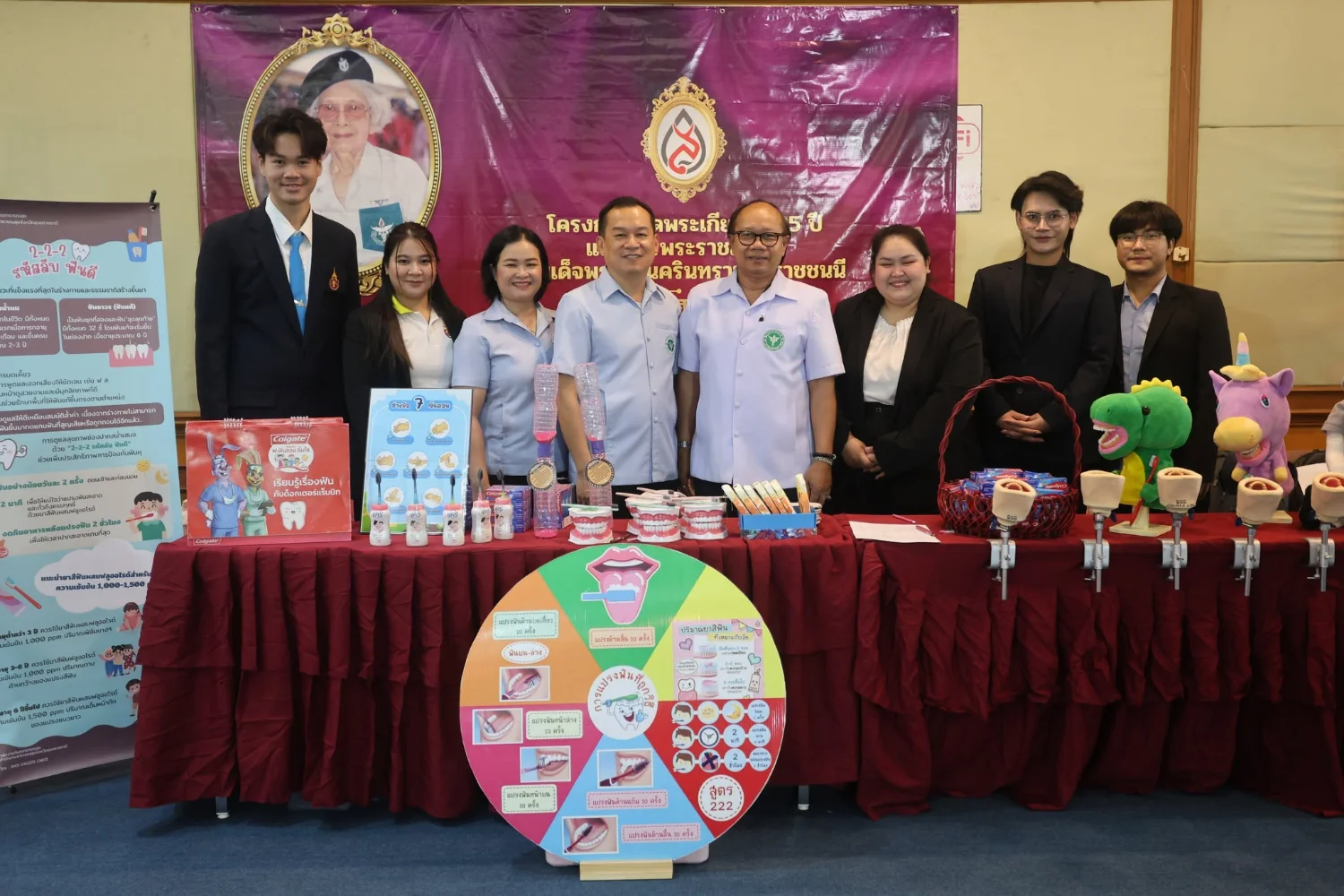
College Honors the Princess Mother through Health and Oral Health Promotion Activities
21 October 20250 views
On Tuesday, 21 October 2025, Dr. Nithit Thanee, College Director, together with lecturers and students, joined activities commemorating the 125th anniversary of the birth of Her Royal Highness Princess Srinagarindra, the Princess Mother. The occasion also marked National Dental Public Health Day, National Nurses’ Day, National Social Work Day, Thai Volunteer Day, and National Annual Tree Care Day. The event took place in Meeting Room 1, sixth floor, the 50th Birthday of Maha Vajiralongkorn Building, Sunpasitthiprasong Hospital. Mr. Chamnarn Chuenta, Governor of Ubon Ratchathani, presided over the ceremony honoring the Princess Mother’s contributions to Thai people, particularly dental public health and nursing, and continuing her commitment to public health promotion. Bachelor of Public Health students majoring in Dental Public Health organized an oral health promotion exhibition to support good oral health and quality of life among Thai people. Additional photographs: https://drive.google.com/…/10… . Photographs and news: Public Relations Unit.
“Discipline, Duty, Unity, Sacrifice, Truthfulness, and Gratitude.”
Wisdom for Community.
Follow our news: https://linktr.ee/scphub.ac.th
#PraboromarajchanokInstitute #JoinOurFamily #SCPHUB #PHAS
PBRI Vision: World Class University for Primary Care.
PHAS Vision: World Class Faculty for Primary Care.
“Local to Global for Primary Health Care.”
Cookies help us provide a better and more convenient browsing experience. By selecting “Accept”, you agree to our use of cookies as described in our Website Policy
and Cookies Policy.
Browser preferences
Cookie Settings
What are cookies?
Small files that help websites remember your preferences. You can review or change how your browser handles them at any time.
Choose your browser to view the instructions
Google Chrome
Manage your cookie preferences
5 steps
Step 1
Open Chrome on your computer.
Step 2
Select the three-dot menu, then choose Settings.
Step 3
Open Privacy and security.
Step 4
Select Third-party cookies.
Step 5
Choose the option that matches your preference.
Microsoft Edge
Manage your cookie preferences
5 steps
Step 1
Open Microsoft Edge on your computer.
Step 2
Select the three-dot menu, then choose Settings.
Step 3
Open Cookies and site permissions.
Step 4
Select Manage and delete cookies and site data.
Step 5
Turn your preferred cookie options on or off.
Mozilla Firefox
Manage your cookie preferences
5 steps
Step 1
Open Firefox on your computer.
Step 2
Select the menu button, then choose Settings.
Step 3
Open Privacy & Security.
Step 4
Go to Cookies and Site Data.
Step 5
Clear data, manage data, or change permissions as needed.
Apple Safari
Manage your cookie preferences
3 steps
Step 1
Open Safari and select Settings.
Step 2
Select the Privacy tab.
Step 3
Choose your website tracking and cookie preferences.
i Browser menus may vary slightly depending on your browser version and device.


 The Nine Doctors pathway from medical training to community care317