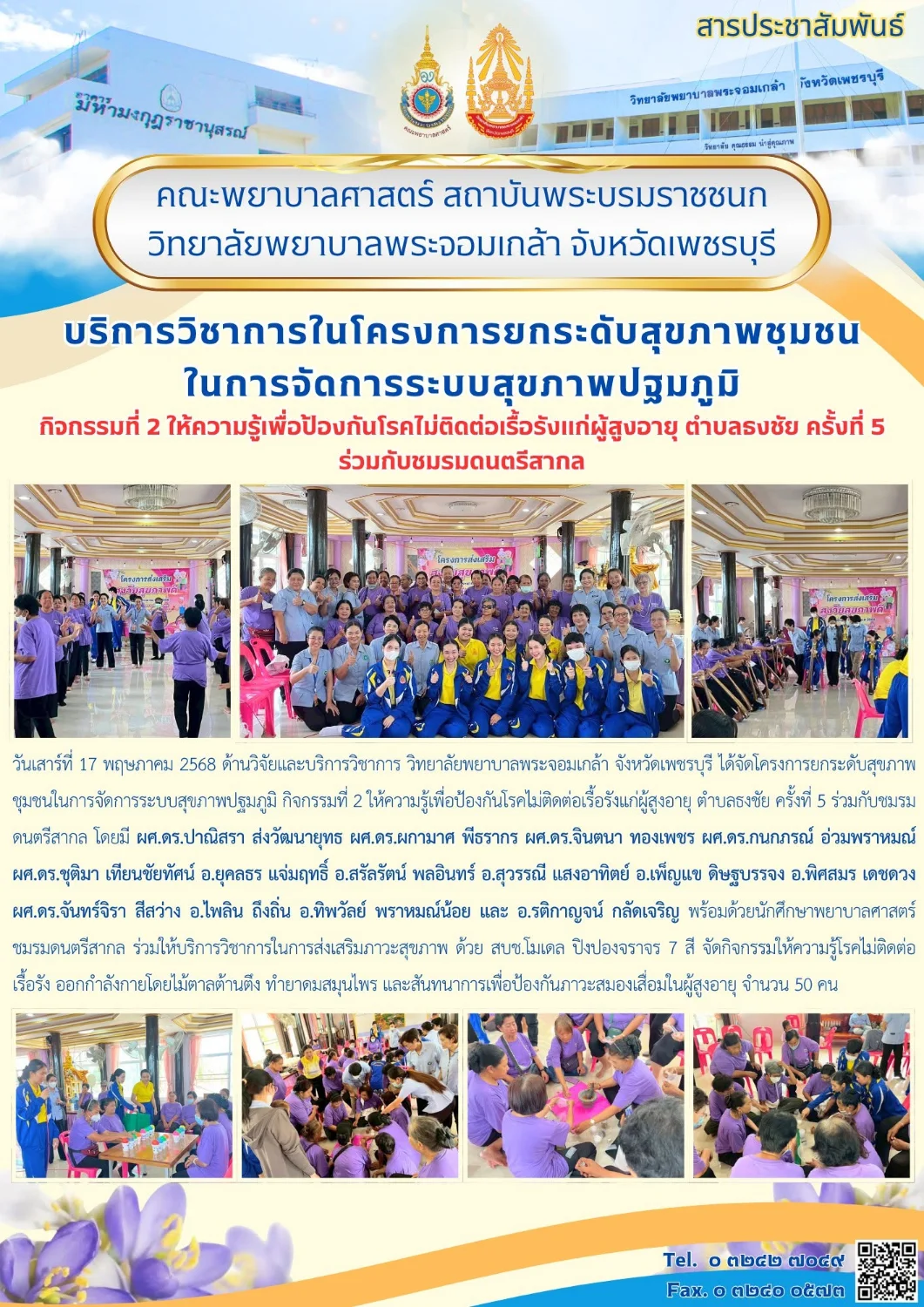
Prachomklao College of Nursing Promotes NCD Prevention among Older Adults in Thong Chai
17 May 20250 views
On Saturday, 17 May 2025, the Research and Academic Services Division of Prachomklao College of Nursing, Phetchaburi Province, together with the International Music Club, held the fifth session of Activity 2 under its community health improvement and primary healthcare management project. The session provided noncommunicable disease prevention education for 50 older adults in Thong Chai Subdistrict. Participants included Asst. Prof. Dr. Panisara Songwatthanayuth, Asst. Prof. Dr. Phakamard Pheetarakorn, Asst. Prof. Dr. Jintana Tongpeth, Asst. Prof. Dr. Kanokporn Aumpram, Asst. Prof. Dr. Chutima Teanchaithut, Yukonton Jamrit, Sarunsad Polin, Suwannee Saeng-athit, Penkhae Dittabunjong, Phitsamon Detduang, Asst. Prof. Dr. Chanjira Seesawang, Phailin Thuengthin, Thippawan Pramnoi, and Ratikan Klatcharoen, together with nursing students from the music club. Academic services used the PBRI Model seven-color traffic-light ping-pong approach to promote health. Activities included NCD education, resistance exercises using palmyra wood sticks, preparation of herbal inhalers, and recreation to prevent dementia among older adults.
Cookies help us provide a better and more convenient browsing experience. By selecting “Accept”, you agree to our use of cookies as described in our Website Policy
and Cookies Policy.
Browser preferences
Cookie Settings
What are cookies?
Small files that help websites remember your preferences. You can review or change how your browser handles them at any time.
Choose your browser to view the instructions
Google Chrome
Manage your cookie preferences
5 steps
Step 1
Open Chrome on your computer.
Step 2
Select the three-dot menu, then choose Settings.
Step 3
Open Privacy and security.
Step 4
Select Third-party cookies.
Step 5
Choose the option that matches your preference.
Microsoft Edge
Manage your cookie preferences
5 steps
Step 1
Open Microsoft Edge on your computer.
Step 2
Select the three-dot menu, then choose Settings.
Step 3
Open Cookies and site permissions.
Step 4
Select Manage and delete cookies and site data.
Step 5
Turn your preferred cookie options on or off.
Mozilla Firefox
Manage your cookie preferences
5 steps
Step 1
Open Firefox on your computer.
Step 2
Select the menu button, then choose Settings.
Step 3
Open Privacy & Security.
Step 4
Go to Cookies and Site Data.
Step 5
Clear data, manage data, or change permissions as needed.
Apple Safari
Manage your cookie preferences
3 steps
Step 1
Open Safari and select Settings.
Step 2
Select the Privacy tab.
Step 3
Choose your website tracking and cookie preferences.
i Browser menus may vary slightly depending on your browser version and device.


 The Nine Doctors pathway from medical training to community care317